
- 1 8 WPBakery Problems That Slow Agencies Down
- 1.1 1. The two editors do not always match
- 1.2 2. Elements that just will not save
- 1.3 3. Pages crawl because of stacked elements
- 1.4 4. Mobile layouts that break for no clear reason
- 1.5 5. Custom CSS that refuses to show up
- 1.6 6. Updates that suddenly cause conflicts
- 1.7 7. The shortcode trap
- 1.8 8. Limited control over who can edit what
- 1.9 The short version
8 WPBakery Problems That Slow Agencies Down
And How to Handle Them

WPBakery has been around for years, and a lot of sites still run on it. If you have built even a handful of pages with it, you already know the drill. Most days it just works. Then out of nowhere a layout breaks, an element refuses to save, or a page that loaded fine last week suddenly crawls.
None of this means the builder is bad. It just has quirks, and once you know what they are, you stop losing hours to them. Here are eight issues that come up again and again, plus what is actually going on behind each one.
1. The two editors do not always match
WPBakery gives you a backend editor and a frontend editor. The problem is they do not always show you the same thing. You build something in the backend, switch to the frontend to check it, and the spacing looks off or a module sits in the wrong spot.
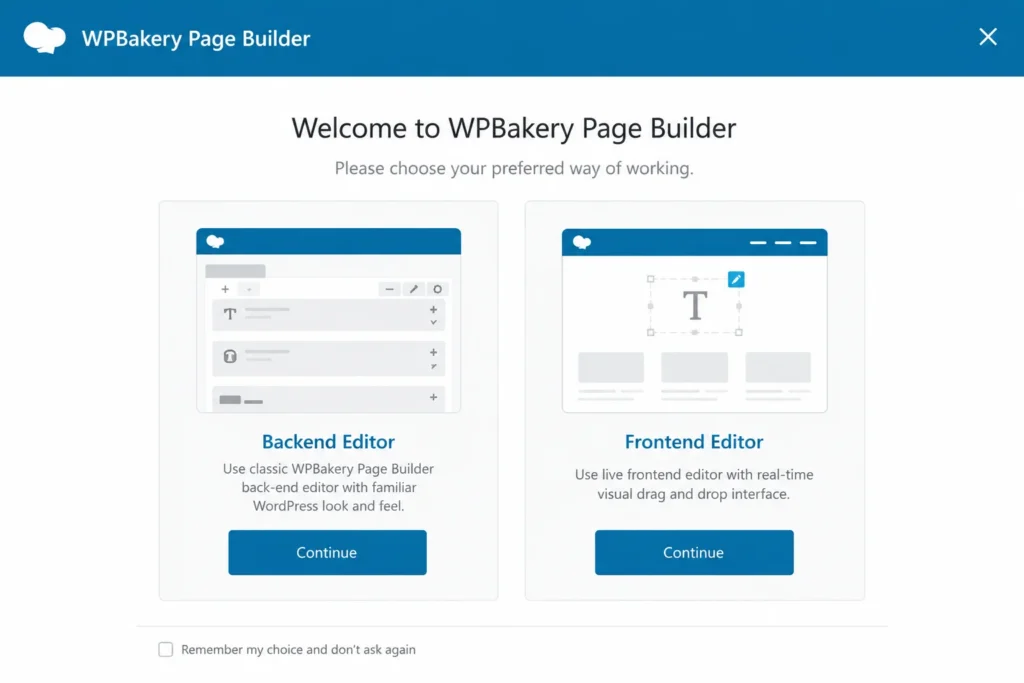
Usually this comes down to one editor caching an older version of the page. Save your work, clear any caching plugin you have running, then reload. Pick one editor as your main workspace and stick with it for a project. Bouncing between the two mid build is what causes most of the confusion.
2. Elements that just will not save
You tweak a column, hit update, and the change vanishes. This one is frustrating because it feels random, but there is almost always a reason. Most of the time it is a memory limit issue on the server. Pages with a lot of elements need more PHP memory than the default, and when the limit is too low the save quietly fails.
Bumping up your WordPress memory limit fixes it in a lot of cases. A browser extension blocking scripts can also get in the way, so test in an incognito window before you blame the builder. If it still happens, the page might simply have grown too heavy, which leads us to the next one.
3. Pages crawl because of stacked elements
WPBakery lets you nest rows inside columns inside more rows. It is handy, but it adds up fast. Every layer is more code the browser has to read, and a page buried under five or six levels of nesting will feel sluggish no matter how good your hosting is.
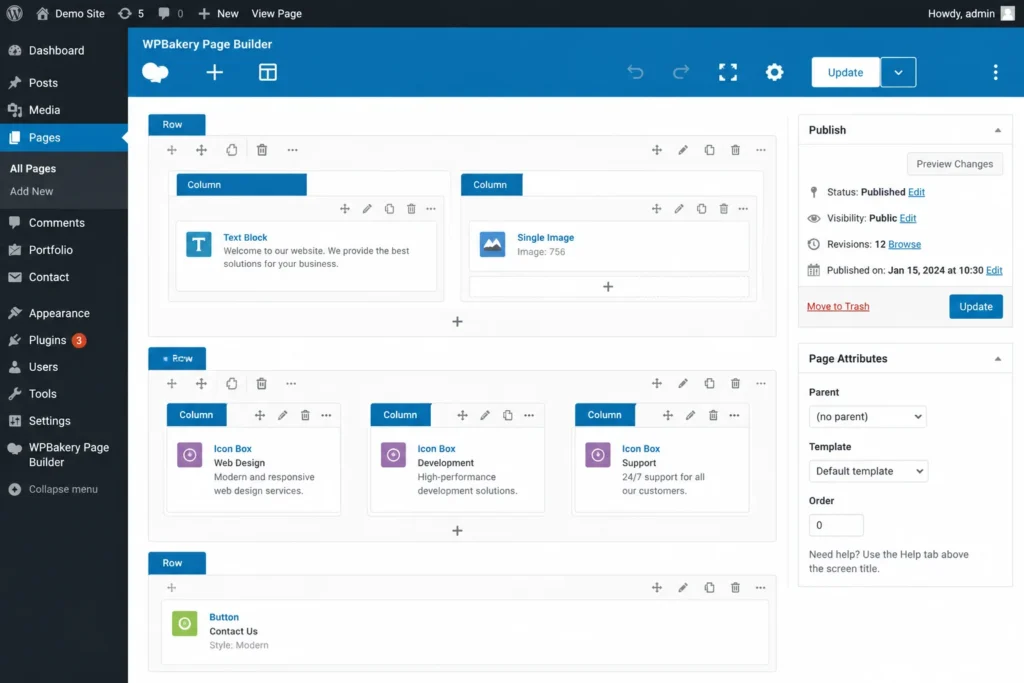
The fix is mostly about restraint. Flatten your layouts where you can. If a section only needs one row, do not wrap it in three. Trim elements you are not using. A cleaner structure loads faster and is far easier to edit later when you have forgotten how you built it. This is one of the first things we look at when a client hands us a slow site at WP Dev Desk, because the speed gain from simplifying the structure is often bigger than people expect.
4. Mobile layouts that break for no clear reason
You build a page, it looks great on desktop, and then someone opens it on a phone and the whole thing falls apart. Columns stack in a weird order, text runs off the edge, images blow up too large.
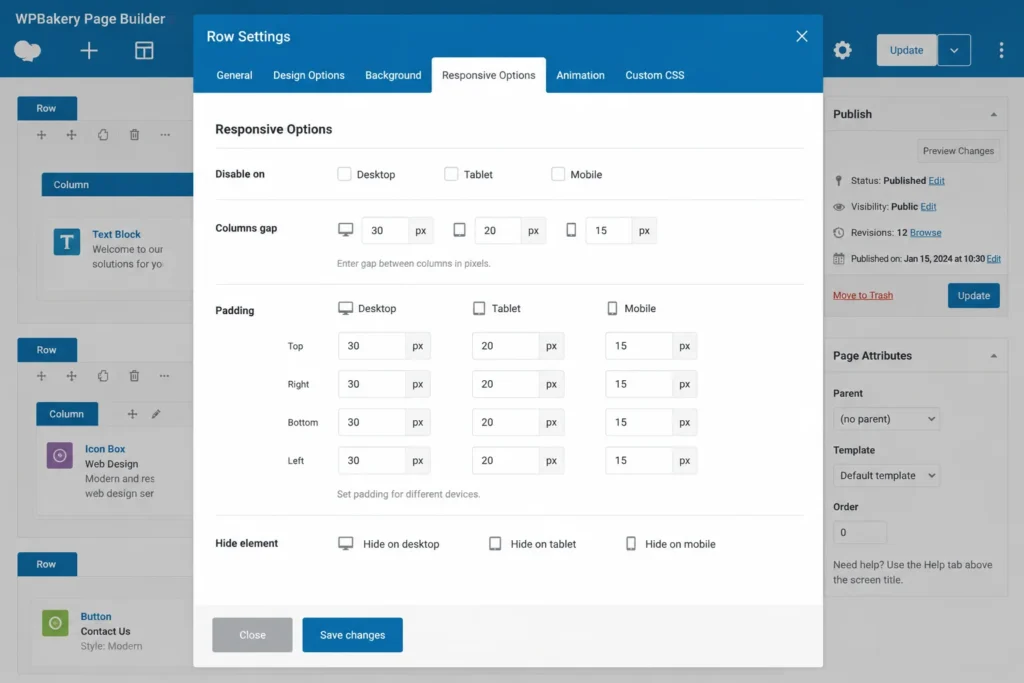
WPBakery has responsive controls built in, but they only work if you actually set them. Each row and column has its own settings for tablet and mobile. Go through them and define how things should behave on smaller screens instead of hoping the defaults get it right. Fixed widths in pixels are another common culprit, so lean on percentages where you can. They flex with the screen instead of fighting it.
5. Custom CSS that refuses to show up
You write a bit of CSS, save it, and nothing changes on the page. Before you assume the builder broke, check the basics. Caching is the usual suspect again. Your new styles are sitting there, but the visitor is being served an old cached file.
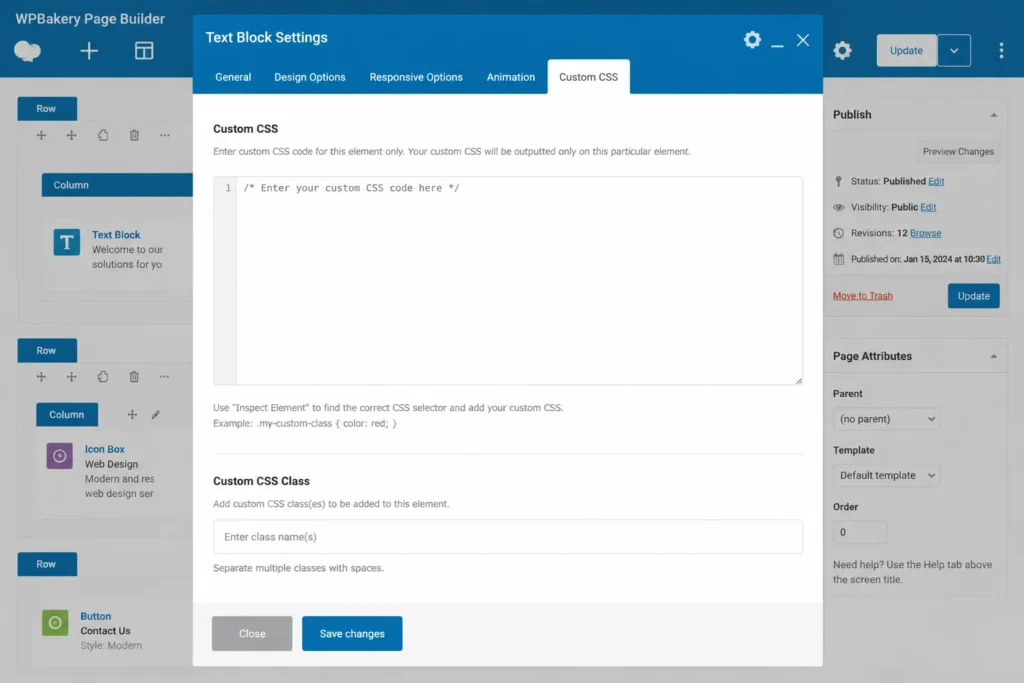
Clear your cache and hard refresh the browser. If the styles still do not apply, the issue is often specificity. Another stylesheet on the site is overriding yours with a stronger rule. Inspect the element in your browser, see what is winning, and write your rule to be more specific. WPBakery also lets you add CSS per element and per page, so make sure you are putting your code where you think you are.
6. Updates that suddenly cause conflicts
Everything is fine, you update a plugin or the theme, and now WPBakery is acting strange. Buttons missing, panels not opening, layouts shifting. This is the classic plugin conflict, and it is not unique to WPBakery, but it shows up here a lot because the builder touches so much of the page.
The safe move is to never update straight on a live site. Test updates on a staging copy first. If something breaks, turn off your plugins one by one until the culprit shows itself. Keeping WPBakery, your theme, and your plugins reasonably current also helps, since most conflicts come from one piece being far older than the rest.
7. The shortcode trap
This is the big one with WPBakery and worth understanding before you commit to it. The builder stores your content as shortcodes. As long as the plugin is active, everything renders fine. But if you ever deactivate it or move to a different builder, your pages fill up with messy shortcode text instead of real content.
There is no quick switch to undo this, which is exactly why it catches people off guard. It is not a reason to panic, just something to factor in. If you are starting fresh and want a builder that keeps your content cleaner under the hood, it is worth weighing your options early. We help agencies think through that decision at WP Dev Desk, and for a lot of projects a builder like Beaver Builder ends up being the lighter, more flexible choice.
8. Limited control over who can edit what
If you run a site with several people in it, you will run into WPBakery’s access controls fairly quickly. Out of the box, the options for limiting what each role can touch in the builder are pretty thin. You might want a client to edit text but not tear apart the layout, and that line is hard to draw cleanly.
The builder does have some role settings, so dig into them and lock down what you can. For anything more detailed, you usually need a separate role management plugin layered on top. Setting clear boundaries upfront saves you from the call where someone deleted half a page by accident.
The short version
Most WPBakery headaches trace back to a few repeat offenders. Caching causes a surprising number of them. Heavy nesting causes the rest. Once you build the habit of clearing cache, keeping layouts simple, and testing updates somewhere safe, the builder gets a lot more predictable.
If you are stuck on a stubborn WPBakery site, or you are thinking about moving to something cleaner, that is the kind of work we do every day at WP Dev Desk. We handle WordPress builders so agencies do not have to, including Beaver Builder builds and migrations when a project calls for it.